What a Custom GPT Migration Actually Costs
Custom GPTs retire on 11 December 2026. FedRAMP workspaces and Enterprise workspaces with an approved deferral have until 11 February 2027. New GPT creation already ended for affected Enterprise workspaces on 26 October.
The dates are the easy part. What follows is an account of the work they imply, because a custom GPT migration is presented as a button in the interface and is four separate workstreams underneath it.
What transfers, and what does not
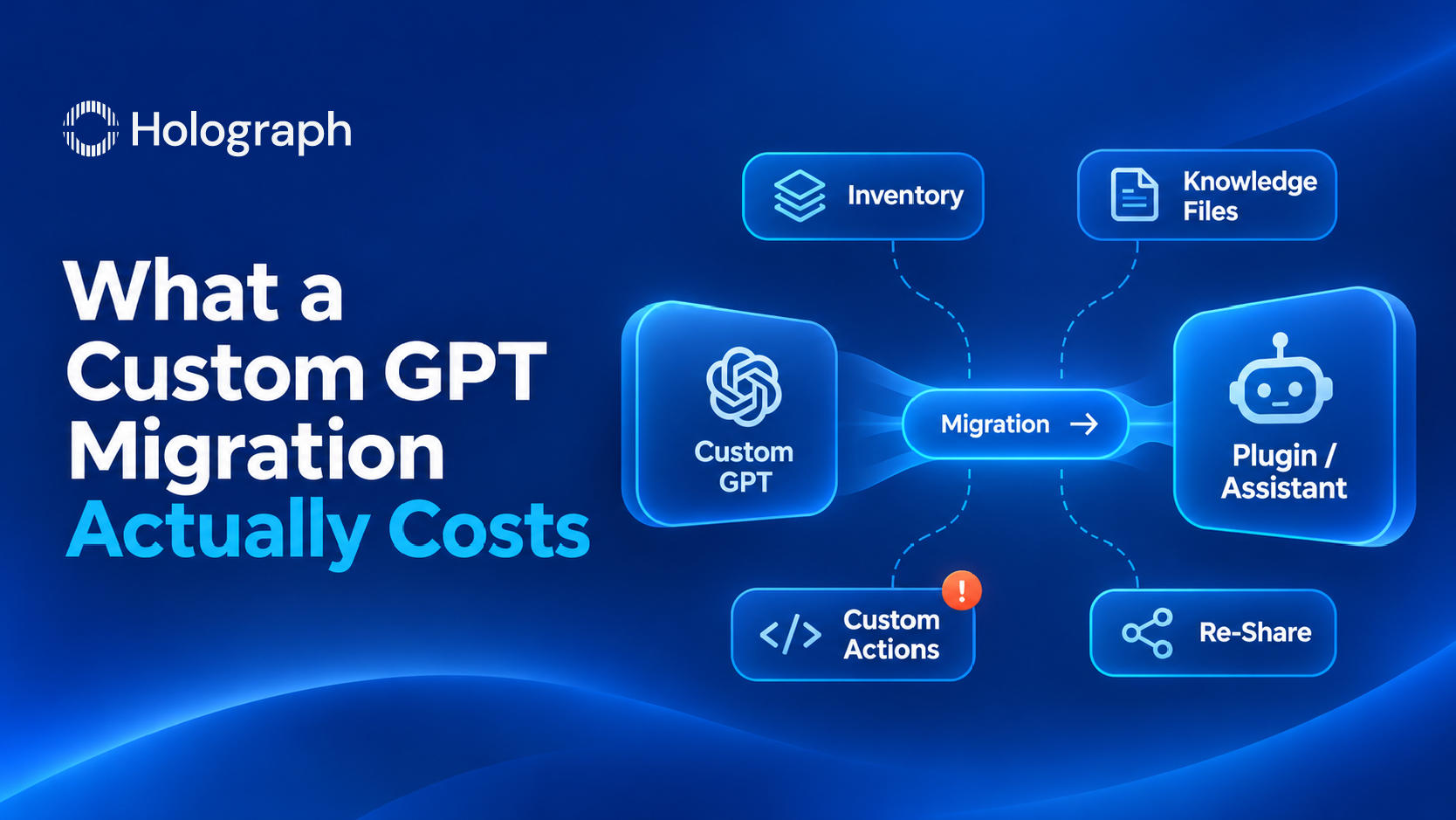
Migration takes the GPT's instructions and turns them into a skill inside a new plugin. Knowledge files are copied across as reference files. Connected apps come over as apps.
Then the list of things that do not come across, each from OpenAI's own migration guidance. Custom actions do not transfer. Features that depend on them will not work in the plugin until a replacement is built, and OpenAI notes that rebuilding a connection may require a custom MCP server and technical setup. Any GPT that reaches an internal system is not a migration. It is an integration project with a December deadline.
The selected model does not carry over. Enterprise defaults apply instead, so a GPT tuned around a particular model's behavior gets a different one.
Sharing does not carry over. An individual migration starts with a private plugin, and OpenAI states that existing GPT users do not gain access automatically. The day a widely used GPT is migrated, everyone who relied on it loses it until someone re-shares the replacement and they install it.
Drafts do not transfer. Migration uses the latest published version, so unpublished edits are lost unless they are published first.
Conversation starters do not map one to one, and OpenAI advises saving familiar prompts before migrating so the replacement can be compared against them.
Migration cannot be undone
Once a GPT is migrated, the original becomes read-only. OpenAI adds a detail worth noticing: its creator cannot delete it either. It stays in place, unchangeable, until the retirement date.
That matters for sequencing. Finish any outstanding edits before migrating, because afterwards every change has to be made in the plugin. An organization that migrates first and reviews later has given up the ability to correct the original while the replacement is still being tested.
Four permissions where there used to be one
A GPT had an audience. A plugin has a permission model, and the parts are separate.
Using a migrated plugin needs Use plugins, plus a workspace policy that either lets the person install it or installs it for them. Sharing it with named people or groups needs Share plugins. Publishing it to the workspace directory needs Publish plugins to workspace. Those are three distinct grants, and installation is a further step the recipient has to take.
Migration itself has its own rule. The GPT's creator or a workspace admin can migrate it, plugins must be enabled, and the GPT must be published. Permission to use someone else's GPT does not confer permission to migrate it, which leaves orphaned GPTs built by people who have since left.
Bulk migration is available through the ChatGPT Admin plugin, and it carries a constraint worth planning around. Retrieving the full workspace GPT inventory currently requires a workspace Owner, not an admin. OpenAI also states that bulk migration runs asynchronously and that starting the task does not confirm that every GPT migrated successfully.
The inventory problem comes first
Before any of that, somebody has to know what exists, and this is where most of a custom GPT migration is actually spent. Most organizations do not have a list of their custom GPTs, who built them, which ones matter, and which reach an internal system through a custom action. They were created by individuals solving individual problems, which was the point of the feature.
The questions that decide the size of this piece of work are plain enough. Which GPTs are in daily use. Who created each one, and are they still here. Which have custom actions, and what do those connect to. Which are shared beyond their creator, and with whom. Which can simply be retired rather than migrated, which is the cheapest outcome available and the one nobody checks for.
That is an application inventory exercise, and it is the same shape as the work that precedes any platform migration. The difference is that this estate was never cataloged, because nobody treated a custom GPT as an application.
Two traps in the dates
The email may be wrong for your workspace. OpenAI states that standard admin emails use the standard dates and are not tailored to workspaces with approved delays. A workspace with a deferral to February can receive mail saying December. The workspace-specific notice is the authority, not the mail.
A deferral does not restore creation. OpenAI is explicit that a retirement deferral by itself does not preserve eligibility to create new GPTs. The later date buys time to migrate, not time to keep building.
There is one piece of good news in the timeline. Migration remains possible after retirement, though the original GPT no longer runs. Missing the date is recoverable. It is not costless, because the workflow stops working in the meantime.
What to do with the time that is left
Start with the inventory, because every other decision depends on it and it is the part that takes longest in an organization of any size. Separate the GPTs with custom actions from the rest, and treat those as integration work with their own technical and security review. Rebuilding an action through a supported app or a custom MCP server is a different activity from migrating instructions, and OpenAI advises against assuming a rebuilt integration provides every capability of the original.
Test against saved prompts rather than impressions. OpenAI's own guidance asks whether the right skill is selected, whether the expected reference material is used, whether the output is complete and correctly formatted, and whether a harder case still works. Run a familiar task and a difficult one.
Sequence the sharing. Migrate, test, re-share with the original audience, confirm one intended user can install and use the replacement, then tell everyone else to switch. In a managed workspace, Share Plugin can prefill the original GPT's audience, which saves reconstructing it by hand.
Decide what not to migrate. A GPT that three people used twice is a candidate for deletion, and a retirement deadline is a reasonable moment to apply that test across the estate.
The same problem as an unmanaged software estate
An undocumented estate of small tools, built by individuals, reaching into production systems through connections nobody inventoried, now facing a vendor-imposed deadline. That is the same problem as an unmanaged software estate at renewal, which is where our work on software licensing across multi-vendor environments starts.
The lesson that transfers is about ownership. The migration is not hard. Finding out what has to be migrated, who owns each one and what breaks when it moves is the work, and it is the part that cannot be compressed into the last fortnight. Agents and assistants built inside other platforms carry the same exposure, which is why we argue for treating them as inventoried systems rather than as personal tools.
Our client work begins at exactly this point more often than not, with an estate nobody has a current list of.
Start with a two-week assessment and keep the document, whatever you decide next.
Frequently asked questions
When do custom GPTs retire?
11 December 2026 is the standard date. FedRAMP workspaces and Enterprise workspaces with a qualifying approved deferral retire on 11 February 2027. OpenAI states that the later date does not apply to every workspace and that the notice in your own workspace is the authority.
What happens to a custom GPT after migration?
It becomes read-only and stays usable until retirement. Its creator cannot delete it. All further changes have to be made in the replacement plugin, so essential edits belong before the migration rather than after.
Do custom actions survive a custom GPT migration?
They do not. OpenAI states that custom actions do not transfer, and that anything depending on them will not work until a replacement is built. That may require a supported app or a custom MCP server, and it needs testing as its own piece of work.
Will people who used our GPT automatically get the plugin?
They will not. An individual migration produces a private plugin, and existing users do not gain access automatically. Access and installation are separate steps, and sharing with groups or publishing to the workspace each require their own permission.
Can we migrate everything at once?
Bulk migration runs through the ChatGPT Admin plugin. Retrieving the full workspace inventory currently requires a workspace Owner rather than an admin, the process runs asynchronously, and OpenAI states that starting it does not confirm every GPT migrated successfully.
What if we miss the retirement date?
Migration is still possible afterwards, though the original GPT no longer runs. The workflow it supported stops working until the replacement is built, tested and shared, so the cost of missing the date is downtime rather than permanent loss.
Start with a two-week assessment