Trusted by 170+ Enterprise Clients

After-Hours Alerts Go Unacknowledged Until Morning

how it works
Your monitoring stack already detects the failure. Outside business hours, the alert goes to a shared inbox or an unwatched dashboard, and nobody acknowledges it until someone logs in the next morning. Over a weekend the wait is considerably longer.
Without a Staffed NOC
2:14 a.m.
The payment service fails. The alert fires into an inbox that nobody is watching.
7:40 a.m.
A customer calls support to report failed payments. Nobody on the team has seen the alert yet.
9:14 a.m.
An engineer arrives, finds the overnight alert and starts the investigation.
The investigation started 7 hours after the failure, and a customer reported it first.
With a Staffed NOC
2:14 a.m.
The payment service fails. The alert reaches our NOC, and an analyst acknowledges it and opens a P1 ticket.
2:25 a.m.
The analyst runs your runbook. When it does not clear the fault, the ticket escalates to an L2 engineer and your contacts are notified.
4:05 a.m.
The L2 engineer restores the service. Every step is time-stamped in the ticket, ready for the root cause review.
The incident is resolved before business hours.

The Cost of Staffing It In-House

One seat staffed 24 hours a day is 168 hours a week, or 4.2 full-time 40-hour roles before leave, training and attrition. For an IT team of 2 to 5, that means more than 4 additional hires whose job is to acknowledge alerts.

Detection by Customer Report

When a user ticket is the first signal your team acts on, detection time includes every hour the alert was unread.

A Single Point of On-Call

Out-of-hours escalation typically lies on one senior engineer. That is an availability risk and a retention risk, because nobody is on call when that engineer is on leave or resigns.

No Incident Record

Without time-stamped acknowledgment, escalation and resolution, a post-incident review is reconstructed from memory.

Holograph Pattern

Five Monitored Layers, One Ticket Queue

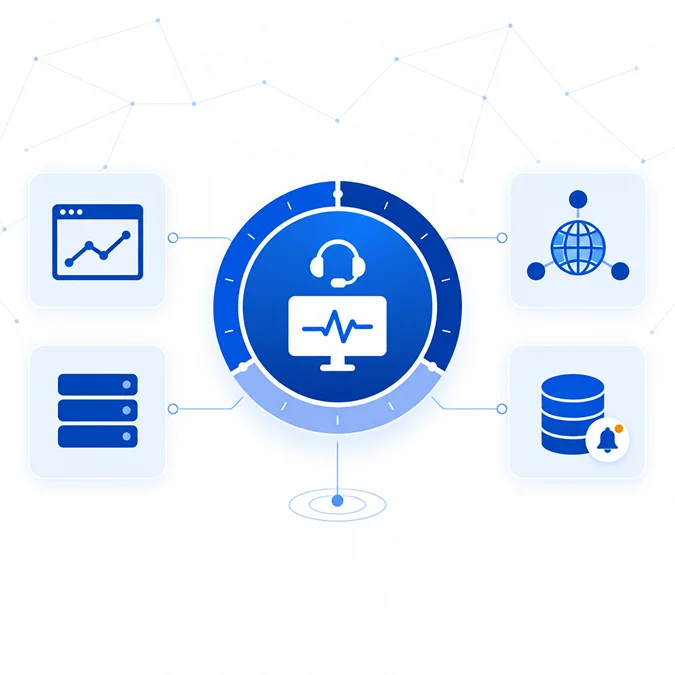
We monitor five layers of your environment from one operations center, and every alert from them lands in one ticket queue under one priority matrix. We also provide security event monitoring on the same desk as an add-on.
APM

Customer Journeys

We run synthetic transactions through your login, payment and remittance flows on a schedule. That way, a failed step raises an alert even while every server behind it reports healthy.

APM

Applications

We track response times, error rates and transaction throughput on your business-critical applications, and alert on degradation before the service becomes unavailable.

NOC

Infrastructure

We monitor availability, CPU, memory and disk on your physical servers, virtual machines and cloud workloads, and track capacity trends as well as outages.

NOC

Network

We monitor link availability, latency, bandwidth utilization and firewall health across your branches and data centers, including the circuits between sites.

NOC

Databases

We monitor query performance, blocking locks, replication lag and storage growth, and raise a P3 or P4 ticket while the trend is still a warning.

Included

Included in the Monthly Fee

The monthly fee includes alert correlation, L1 triage, L2 and L3 escalation, ticketing against P1 to P4 targets, dashboard access and the monthly service review.

Response Targets by Priority

Analysts assign every incident one of four priorities. Each priority carries a response target and a fixed update interval until the incident closes.
Priority Definition Example Response target Update interval
P1 Critical A business service is unavailable to customers Payment application unreachable 15 minutes Hourly until resolved
P2 High A service is degraded or a key component is failing Slow logins, one server down 30 minutes Every 4 hours
P3 Medium Limited impact, workaround available Disk at 85%, backup job warning 4 hours Daily
P4 Low No user impact, a trend that needs attention Memory use rising week on week 1 business day In the monthly service review

A response means an analyst has acknowledged the alert and opened a ticket. Targets apply 24 hours a day, so a P1 at 3 a.m. carries the same 15-minute target as a P1 at noon.

A Missed P1 Response Makes the Month Free
If we miss the 15-minute response target on a P1, that month is not charged. Scope, service-level terms and a liability cap are set out in every contract.
15 minutes
P1 response target

Shift Coverage and Escalation

The L1 desk runs three 8-hour shifts with a documented handover at each change, so every hour of the day is staffed. Senior engineers work L2 and L3 escalations during office hours and stay on call outside them for P1 and P2 incidents.

L1 Desk

Shift C Shift A Shift B Shift C

L2 / L3

On Call In Office On Call
  • L1 desk, staffed every hour
  • Handover every 8 hours
  • Senior engineers in office
  • Senior engineers on call
icon

Weekends and Public Holidays

Weekends and public holidays run on the same three shifts, with the same response targets.

Direct Escalation

For P1 and P2 incidents, the desk pages the on-call senior engineer directly, without waiting for your approval.

Monthly Service Review

Each month we report every incident's acknowledgment and resolution times against the target, the root cause of each P1 and P2, and actions taken. The review is documented in a form suitable for audit.

From Detection to Resolution

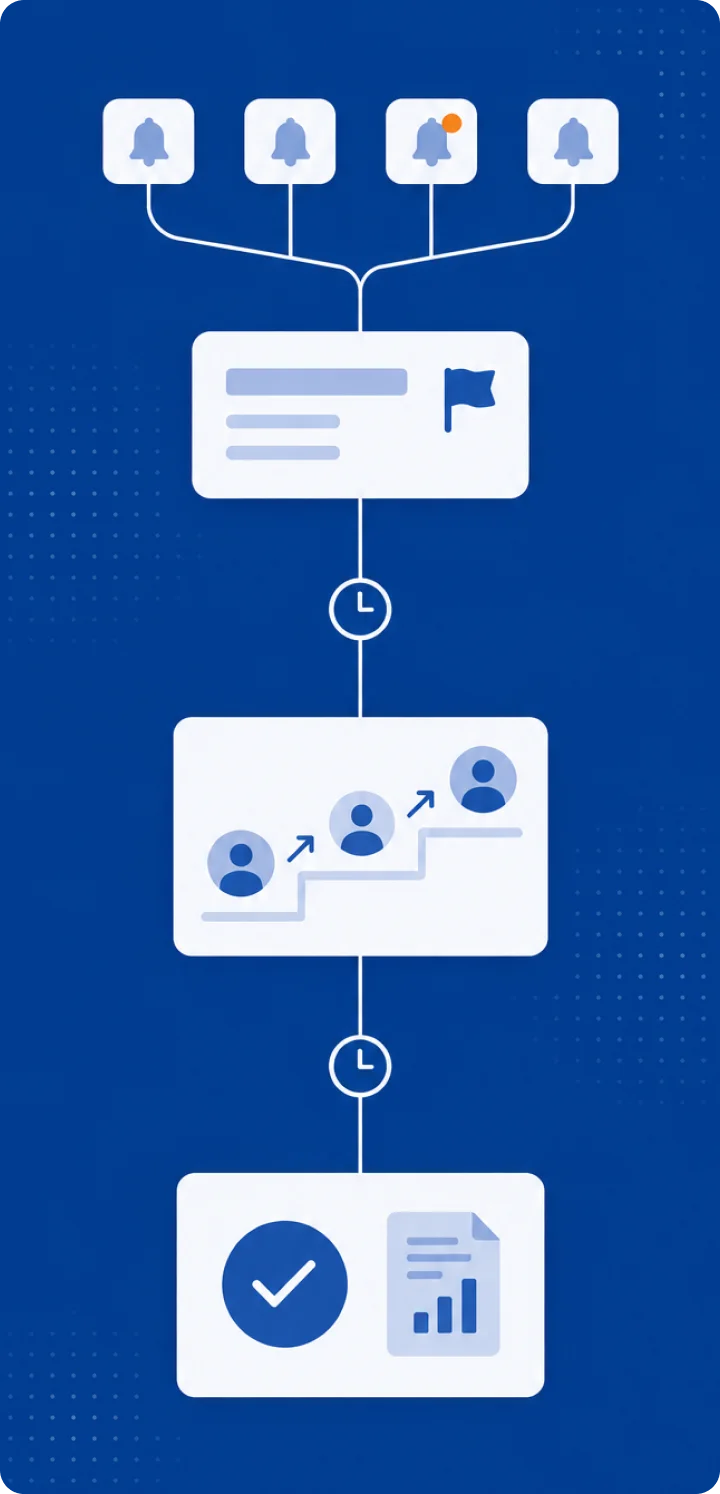
Every step is time-stamped in the ticket, and the monthly service review calculates SLA attainment from those time stamps.
how it works
Detect
Alerts from your monitoring tools reach our Network Operations Center (NOC) mailbox or your ITSM portal, alongside issues your team reports by phone or portal.
Correlate
We merge the duplicate alerts and tag the business impact, so one failure produces one ticket.
Respond
An analyst acknowledges the alert, opens the ticket, assigns the priority and notifies your contacts.
L1 Triage
The analyst diagnoses the issue and runs the remediation in your agreed runbook.
L2 Escalation
It’s raised when tickets L1 cannot resolve and go to an L2 engineer for deeper troubleshooting.
L3 Escalation
When L2 cannot close a ticket, it goes to a senior L3 engineer. And if the fix is with a vendor or your IT team, we hand over the ticket with its full timeline.
Resolve and Confirm
You confirm the fix before the ticket closes, and we log a root cause for every P1 and P2.
Report
You track every ticket on the dashboard, and each month's tickets feed the monthly service review.

Additional Services on the Same Desk

Each add-on runs on the same operations center desk, under your existing contract and in the same ticket queue.

Outside the Monthly Fee

The monthly fee covers monitoring and incident handling. We scope and quote these separately:
how it works

One-Off Remediation

This covers project work such as reconfiguring a firewall, rebuilding a failed server or cleaning up after an incident.

Embedded Engineers

A database or cloud engineer working on your projects is a separate engagement, covered on our Staff Augmentation page.

Hardware

Hardware we supply is quoted separately from the service fee.

Tool Licenses

Where you need additional tooling, we buy the licenses in your name, and they stay yours.

Frequently Asked Questions

What happens when a failure occurs outside office hours?
An analyst on shift acknowledges the alert, opens a ticket and runs the runbook remediation where one exists. For P1 and P2 incidents, the analyst pages the on-call senior engineer. You are notified when the ticket opens, within 15 minutes for a P1.
Do we need a new monitoring platform?
No. We ingest alerts from the monitoring tools you already run into our ticket queue. We report any coverage gaps found during onboarding, and any additional tooling is licensed in your name.
How does Holograph's NOC work with our IT team?
We work your alerts 24 hours a day and apply the remediation agreed in your runbooks. When L1 cannot resolve a ticket, it goes to an L2 engineer for deeper troubleshooting. When the fix is with your IT team or a vendor, we hand over the ticket with its full timeline. Your team confirms the resolution before it closes.


How is the monthly fee set?
You pay one monthly fee per customer. It covers monitoring, alert correlation, triage, escalation, ticketing, dashboard access and the monthly service review. One-off remediation, embedded engineers, hardware, tool licenses and add-on services are quoted separately.
How is the 15-minute P1 response measured?
A response means an analyst has acknowledged the alert and opened a ticket. Both steps are time-stamped, and the monthly service review reports the response time for every P1 against the target.
What is the difference between a NOC and a SOC?
A network operations center (NOC) monitors availability and performance: servers, networks, applications and databases. A security operations center (SOC) monitors for hostile activity: threat alerts, security events and log anomalies. Our core service is NOC monitoring, and SOC monitoring runs on the same desk as the Security operations add-on.
Can tickets go into our own ITSM tool?
Yes. Alerts can arrive in our shared NOC mailbox or in your own ITSM portal, and you can track every ticket on your dashboard.
What does the free coverage gap review include?
We document what you monitor today, which alerts arrive somewhere nobody reads, and where the gaps sit between your tooling and your working hours. You get the findings in writing and keep them whether or not you work with us.
Holograph pattern

Start With a Free Coverage Gap Review

Tell us which tools raise your alerts today, which hours your team covers and how many people are on it.