Atlassian Security Patching: Who Owns the Clock
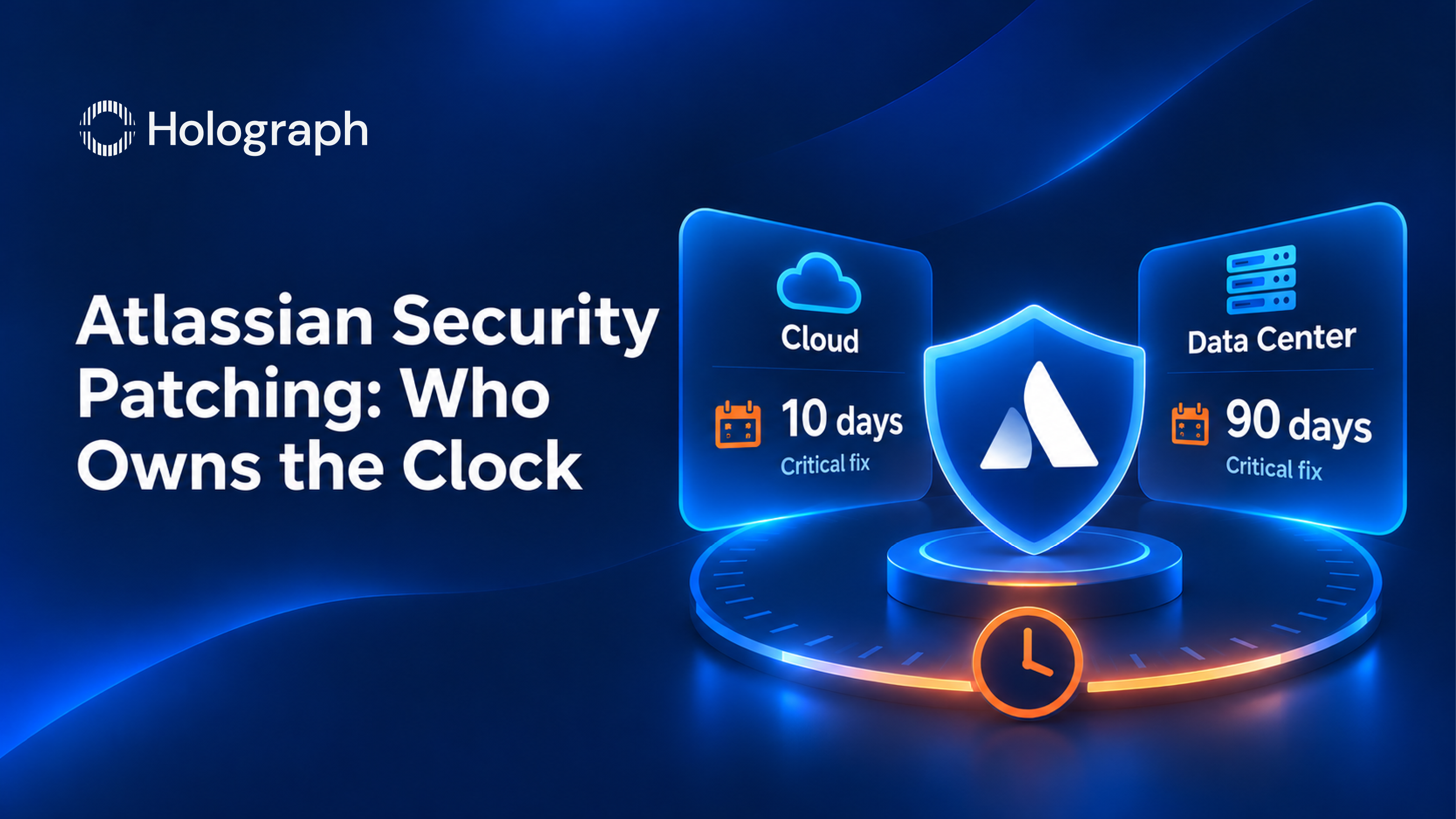
Atlassian aims to fix a Critical vulnerability in its cloud products within ten days of verifying it. The same severity rating on a Data Center product carries a ninety-day objective. Same flaw, same rating, nine times the window, and the difference has nothing to do with the vulnerability. It is where the software runs.
That is published policy rather than an inference, and it is the single most useful thing to know about running Atlassian products self-managed. Most teams discover it during an advisory, which is the worst time.
Two clocks, one severity rating
Atlassian's Security Bug Fix Policy sets service level objectives by severity, and it runs two separate tiers.
The Accelerated Resolution Objectives cover all cloud-based Atlassian products, anything managed by Atlassian or running on Atlassian infrastructure, and Jira Align in both its cloud and self-managed releases. Under that tier, Critical must be fixed in 10 days, High in 28, Medium in 84 and Low in 175.
The Extended Resolution Timeframes cover all Data Center products and mobile apps. There, Critical, High and Medium all share a single objective of 90 days, and Low gets 180.
Two things stand out. Critical and Medium carry the same ninety-day objective on Data Center, so the severity rating stops changing the timetable once you are self-managed. And Jira Align sits in the fast tier even when you host it yourself, which makes it the exception rather than the rule.
The ninety days is only Atlassian's half
The objective describes Atlassian producing a fix. Installing it is somebody else's job, and the policy is direct about whose. Among the responsibilities it assigns to customers is "ensuring timely implementation of security fixes once they're released".
Atlassian's Data Center security checklist sets out the same split in more detail. Atlassian provides secure product releases and application-level security fixes. Your role is to upgrade software promptly to secure against known vulnerabilities. On the operating system underneath, Atlassian commits to compatibility with modern supported platforms, while implementing the latest security updates, hardening the operating system and managing secure dependencies all sit with you. The checklist states the boundary in one line: Atlassian does not take responsibility for self-managed hardware infrastructure.
Cloud moves the operating duty. It does not move all of security. Your data, your users, your access decisions and your choice of Marketplace apps remain yours in either deployment.
The backport rule that catches people out
Say a Critical fix ships and you are self-managed. Whether it reaches your version depends on a rule most teams have never read.
For Jira Software, Jira Service Management, Confluence and Bitbucket, Atlassian issues bug fix releases for any version designated a Long Term Support release that has not reached end of life, and for all feature versions released within six months of the date the fix is released. The policy then states the consequence plainly: no other product versions would receive new bug fixes. For Bamboo, Crucible and Fisheye the window is narrower still. It covers the current and previous feature release only.
Atlassian's own knowledge base gives the worked example. CVE-2023-22522 was a Critical template injection flaw in Confluence that allowed an authenticated attacker, including one with anonymous access, to achieve remote code execution. Every version since 4.0.0 was affected. Customers running Confluence 7.20 did not receive a backport, because that version had shipped in October 2022, more than six months before the fix. Their route was an upgrade, not a patch.
Releases are supported for two years from the initial feature or LTS release, and a version designated LTS receives security bug fixes across that whole period. Data Center itself now carries an end date, which we set out in our Data Center end of life roadmap. If you are sitting on a feature release older than six months that was never designated LTS, the next Critical advisory may not produce a version you can install.
What Atlassian tells you to do when you cannot patch
The same knowledge base article answers the question nobody wants to ask, and the answer is worth reading before you need it. For customers unable to patch immediately, Atlassian recommends three steps in order: take your system off the internet immediately, back up the instance data to a secure location outside the instance, and engage your local security team to review for potential malicious activity. For organizations without a local security team, it recommends engaging a specialist security firm.
Taking a production Jira or Confluence instance off the internet is not a technical decision. It is a business one, and somebody has to be authorized to make it at short notice. That authority is worth agreeing in advance, because the advisory will not wait for a steering meeting.
Worth noting alongside it: Atlassian states that an instance unreachable from the internet has reduced exposure but is not fully mitigated, and still recommends patching. Air gaps buy time rather than safety.
The advisory has to reach a person
Atlassian publishes monthly Security Advisories and maintains a Vulnerability Disclosure Portal that updates with each monthly Security Bulletin. None of that helps if it arrives at a mailbox nobody reads, which is why the Data Center checklist asks customers to keep contact details and email subscription preferences current so advisory alerts and monthly bulletins actually land.
Accountability after an incident follows the same pattern. Atlassian publishes a RACI for security incident management in which it is Responsible for detection, triage, investigation, containment, eradication and recovery on its own assets, while the customer is Informed. The one activity the customer is Responsible for is notifying Atlassian. Underneath the table sits the sentence that settles the question: customers are ultimately responsible for the security of their data as per the Atlassian Customer Agreement.
Four things to settle before the next advisory
Which clock applies to each instance you run, because the answer differs by deployment and by product. Which version each instance is on, and whether it is a Long Term Support release. Who owns Atlassian advisories by name, and whether their subscription is live. And who is authorized to take an instance off the internet without waiting for a meeting.
None of those four is a configuration setting. They are decisions, and an organization that has made them will patch faster than one with better tooling and no owner. We make the same argument at estate level in our guide to enterprise security posture.
Case studies
MCX. The Multi Commodity Exchange of India is a government-regulated commodity derivatives exchange founded in 2003. Monthly threat simulations surfaced vulnerabilities across its Jira, Confluence and Bitbucket deployment that needed immediate resolution to stay compliant with government regulations. Some of those issues had no direct security patch from Atlassian at all, so we built custom solutions using industry best practices and third-party technologies including Apache Tomcat. That is the case the policy does not cover: when there is no fix to wait ninety days for, the clock belongs entirely to you.
If you cannot name the version and support status of every Atlassian instance you run, talk to us about a posture review before the next advisory lands.
Frequently asked questions
Does Atlassian patch Data Center for you?
No. Atlassian produces the fix and ships it as a release. Installing it is the customer's responsibility, which Atlassian states as a duty to implement security fixes promptly once they are released. Atlassian also states that it does not take responsibility for self-managed hardware infrastructure, so the operating system, dependencies and surrounding environment are yours as well.
How long does Atlassian take to fix a critical vulnerability?
It depends on the deployment. Atlassian's objective is 10 days for cloud products and anything running on its own infrastructure, and 90 days for Data Center products and mobile apps. On Data Center the 90-day objective also covers High and Medium severity, so the rating stops changing the timetable. Jira Align uses the faster tier in both cloud and self-managed releases.
Will Atlassian backport a security fix to the version I am running?
Only if that version is a Long Term Support release that has not reached end of life, or a feature release that shipped within six months of the fix date. Atlassian states that no other product versions would receive new bug fixes. For Bamboo, Crucible and Fisheye, only the current and previous feature release are covered.
What should you do if you cannot patch immediately?
Atlassian's published guidance is to take the system off the internet immediately, back the instance data up to a secure location outside the instance, and engage your local security team to review for malicious activity. If there is no local security team, it recommends engaging a specialist security firm. An instance that is not internet-facing has reduced exposure, but Atlassian is explicit that the risk is not fully mitigated and still recommends patching.
Does moving to Cloud remove your security responsibilities?
It removes the operating duty, not the whole of security. Atlassian runs the applications, the systems and the hosting environment, and patches them. Your data, your user accounts, your access decisions and the Marketplace apps you choose to install and trust stay with you.
How long is an Atlassian release supported?
Two years from the initial feature or Long Term Support release. A version designated LTS receives security bug fixes throughout that two-year period, which is the practical reason to run LTS rather than chase feature releases if your upgrade cadence is slow.
Know which clock you are on